jens-schaller.de

decoded11 recap

Last Saturday I was at the decoded conference in Munich and here comes the recap.

The decoded started last year as a conference for code and design. This year it went international and drew people for all over Europe to the Freizeithalle in Munich. Its goal was to bring up “International speakers from the field of generative design, computational art, information visualization and hardware tinkering are teaming up to share some insights of their work and tell their very own stories.”

Did they succeed? Well yes and no…

Sessions

Fluid form the process – Fluid Forms

Stephen Williams was quite a slow train, but his way of combining technology and algorithms with the creativity of people into sellable products was really inspirational.

They tried to build a website where customers can design own accessories made from layered wood. First they tried it with sliders for defining the shape of an object. Problem was that customers didn’t understand what the sliders “did” to the object. The controls were too far away from the place where the actual change was happening.

In a next version they tried out grips residing directly on the surface of the virtual object. People understood that better, but it was too complex for them designing their own design object. “Give people more than 10 choices and they won’t make a decision at all.”

In the third version they eventually got it right: Customers can choose a map section of any place in the world and fluid forms would transform the elevation profile of the location into a wooden fruit bowl (http://www.fluid-forms.com/design-your-own/Fluid-Earth-Pinstripe-Schale). So you get people’s own creativity into the product without asking too much of them (Stephen called that the “democratization of design”). Furthermore you create a strong connection to the real object because the customers designed it by themself. How cool is that?

Stephen gave us a good insight look into the ideas and the problems that came along.

Resources

http://www.fluid-forms.com
http://fluidforms.eu/processing/fluid-forms-libs
http://twitter.com/#!/fluidforms

Bildkultur gegen Sprachkultur – Prof. Herbert W. Franke

Well… “nächste” (This is an insider joke and I refuse to write anything more than that ;-))

eBoy – Hello pixel!

Digging the style of eboy, I was looking forward to this session. It started quite strong telling us a bit about how the worlds of eboy are created. Sadly the session quickly turned into a machine gun like enumeration of projects they did, without any background of the how and why. That was garnished with a very bad English performance of both speakers.

Anyways, the art of eboy still is awesome! If you would like getting to know eboy, I recommend taking a look at their online shop at http://shop.eboy.com/. Also the iPad/iPhone App (http://www.eboyfixpix.com/) is strongly recommend.

The fascination of the unexpected – LIA

“Don’t try this at home” should have been the title of this session. LIA, an artist from Austria, talked about her way of creating art using processing and trial and error. Showing off an endless list of code examples and using total absence of knowledge she shaped statements like: “If you find an error and double it, you get twice the error.”

“I don’t know what it does, but it looks nice” isn’t really the kind of inspiration you should take with you.

Resources

http://www.liaworks.com
http://www.re-move.org
http://www.turux.at

Inquisitive devices – Kate Hartman

Kate is an example of a highly creative and passionate mind. From a glacier hugging device to plants using twitter and calling you on the phone, Kate explained a lot about her work. Her work is mostly about connecting the digital to the real. Building a digital bridge between plants and humans using botanicalls as well as electronic devices woven directly into our clothing connecting humans between each other. While kind of spacy you get the idea where this could lead in the future.

This was truly one of the highlight sessions.

Resources

http://www.katehartman.com
http://www.katehartman.com/thenextbigthing

New York, New York – Jer Thorpe aka blprnt

Being a great and knowledgeable speaker Jer brilliantly explained his work on project Cascade for the NY Times analysing the flow of articles through Twitter (also done in processing). The visualisation alone was a piece of art.

Another highlight was the design process for the 9/11 memorial on how the names were placed on its surface. Each name was placed in a way that it reflects its relationship to others while being visually correct based on a typographic  point of view. Details of how he solved this are described in his blog (a must read).

Too bad I couldn’t get to Dog & Pony – Gallery & Playground where he organised a farewell party for his five year old MacBook on Sunday.

Resources

http://blog.blprnt.com
http://www.flickr.com/photos/blprnt
http://twitter.com/#!/blprnt

Location

The Freizeithalle was nice, but the soft drinks where much too pricey. Also the event organisation could be better. For example: the after show party was miles away, the directions to the location could be clearer (at least for people not living in Munich), drinks and food could be included. 

At this point kudos to the team of the dotnet cologne 2011. THAT event was organised perfectly!

Munich

If you are visiting Munich or even living there, you really have to see the KRAFTWERK. 3-D VIDEO-INSTALLATION at the Lenbachhaus! That’s absolutely awesome!

Again?

I guess so. Besides the flaws it was nice and I really loved the spirit and creativity. For me as primarily a software developer with a huge interest in UI and UX it was a quite inspirational day.

I loved the idea of getting things done no matter the technology but with strong ideas in mind. For me decoded was not about learning something you can use right away. It was one of many ways I can draw inspiration from.

Resources

MIX11 Recap

For the last three years I had the chance to visit the MIX conference in nutty Las Vegas. Like every year, here comes my recap containing my opinion to the sessions and MIX11 itself as well as some resources for you (and me) to relive MIX11 once again.

Opinion

For me MIX was always about the MIXture of tech and non-tech cultures. When first visiting MIX09 the crowd was almost 50% developers and 50% designers and so were the sessions. I was totally blown away by so much creativity in one place and that concept of this conference was totally new to me.

MIX11 was something completely quite different. It felt like it had been hijacked by the various product and development teams. Nearly all of the UX sessions were injected into the MIX agenda at the last minute after a wave of feedback and disappointment from the community.

The added “UX Lightning Series” sessions were great, but a total of 2,5h plus only a few other UX/Design session compared to a 12 hour non stop flight from Europe? Well, not really.

Stop whining you say and you are right. MIX11 was nice, the three days hiking upfront were great, but next year I will wait until the final session list is available before booking my trip. I sent my feedback to the MIX team, really hoping they get MIX back where it belongs.

Anyways, I really enjoyed connecting with new people and people I only meet only once a year at MIX.

Session Favorites

Without further ado, here are my favorites for MIX11:

Fonts, Form and Function: A Primer on Digital Typography

http://channel9.msdn.com/events/MIX/MIX11/EXT02

Robby Ingebretsen is a Design-Rockstar! ‘nuf said.

UX Lightning Series

3 sessions each consisting of 4 talks of 10min. Crazy? Yes, and totally awesome!

Back to Square One

http://channel9.msdn.com/events/MIX/MIX11/DES01

Nishant’s sessions are interesting, quaint, nutty, informative and many more. Some may find them only strange, but I like his style in many ways.

Designer and Developer: A Case for the Hybrid

http://channel9.msdn.com/events/MIX/MIX11/EXT07

Jeff Croft is a Designer who taught himself some coding skills. It’s nice to see a Developer/Designer Hybrid from a Designers perspective.

Other Resources

SonicFileFinder 2.2 released

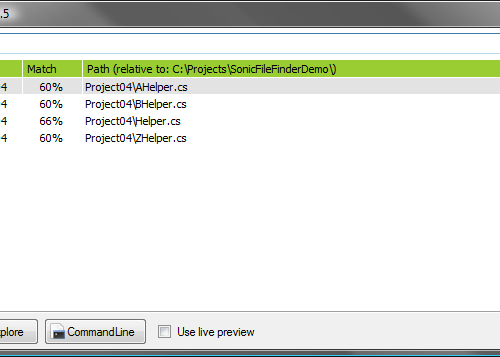
SonicFileFinder is a free add-in for Visual Studio that allows a fast and convenient search for any file within every Project of the loaded Solution by entering the complete filename or just a part of it. The found file(s) can either be edited with a single keystroke or a Windows Explorer / CommandLine prompt can be opened at the file's location.

What's new?

Version 2.2 is a compatibility release for Visual Studio 2010.

Note: SonicFileFinder requires .NET Framework 3.5 to run!

  • ADDED: Support for Visual Studio 2010.

Download it on the SonicFileFinder website.

MIX10 recap

MIX10 is over and it has been a great pleasure for me to be there. I will provide you with some short recap of the “What’s new”s and “Must see”s.

Facts

Windows Phone

MIX10 was so all about Windows Phone that I guess everyone out there must have heard of it. But anyways I will provide some facts about it.

Silverlight 4

Silverlight didn’t shine nearly a much as last year. It stood cleary in the shadow of the Windows Phone. I kind of do not understand this, since there are so many exciting new features especially for business applications.

At MIX10 the RC of Silverlight 4 has been released and the final version will come out in April. I guess Microsoft will sync it with the release of Visual Studio 2010. The tools and such can be grabbed at http://www.silverlight.net/getstarted/silverlight-4/

The differences in Silverlight 4 compared to previous versions:

Microsoft also released a first version of the Microsoft Silverlight Analytics Framework, which provides an API as well as many 3rd party providers (like GoogleAnalytics, ATInternetAnalytics, etc.) for analyzing your website traffic.

Channel 9 published a list of Silverlight 4 Training Courses at http://channel9.msdn.com/learn/courses/Silverlight4/

A new version of the Silverlight Toolkit will be available soon at http://silverlight.codeplex.com/

HTML 5

HTML 5 (supported by IE9) is kind of strange for me: On one side it’s great, because of its possibilities, hardware acceleration, etc., but on the other hand there is Silverlight. I really hope Microsoft will push them both, since in my opinion Silverlight has the biggest potential. HTML 5 will kind of transport us back to the stone age concerning the development platform.

OData

From a session description: “The Open Data Protocol (OData) applies web technologies such as HTTP, AtomPub and JSON to enable a wide range of data sources to be exposed on the web in a simple, secure and interoperable way. Whether you have a simple collection of reference data, are building a Rich Internet Application using WCF RIA Services or are building the data platform for a high-end website, this code-heavy session walks through the key technologies and practices available to expose your data and its associated logic as an OData feed.”

Well that sure sounds great, but would you really implement a web service breaking all your clients when changing a thing in the schema? “Well just use versioning”, you might say. Well there isn’t any versioning in OData…

Sessions

There have been great sessions at MIX10 and I will provide you with my personal favorites. Be aware that the listed sessions are mostly in the non-tech/UX area, but those are the ones I attended. In order of appearance:

  1. Keynotes
    Really not great this year, but give you a nice round-up.
    1. Day 1: http://live.visitmix.com/MIX10/Sessions/KEY01
    2. Day 2: http://live.visitmix.com/MIX10/Sessions/KEY02
  2. The Art, Technology and Science of Reading: http://live.visitmix.com/MIX10/Sessions/DS07
  3. 10 Ways to Attack a Design Problem and Come Out Winning: http://live.visitmix.com/MIX10/Sessions/EX06
  4. Touch in Public: Multi-touch Interaction Design for Kiosks and Architectural Experiences: http://live.visitmix.com/MIX10/Sessions/DS06
  5. Designing Bing: Heart and Science: http://live.visitmix.com/MIX10/Sessions/CL06
  6. The Elephant in the Room: http://live.visitmix.com/MIX10/Sessions/DS13
  7. An Hour With Bill Buxton: http://live.visitmix.com/MIX10/Sessions/DS16
  8. Design the Ordinary, Like the Fixie: http://live.visitmix.com/MIX10/Sessions/EX25
  9. Developing Natural User Interfaces with Microsoft Silverlight and WPF 4 Touch: http://live.visitmix.com/MIX10/Sessions/EX18
  10. Treat Your Content Right: http://live.visitmix.com/MIX10/Sessions/DS02

Ressources

Some links and other stuff which won’t fit in the other categories can be found here.

Update:

MIX10 - count me in!

Only 13 days till MIX10 and counting! I am so excited to be there, learning tons of new stuff and meeting old and new friends. My plane will be leaving in about one week, since I will be hiking Zion Canyon a few days before MIX10 itself.

Mix10_SeeYou_grn_240

If you’re going to MIX10, you really should attend the Tweetup on Sunday (http://twtvite.com/5i84zm). It’s a great way to meet nice designer/developer people and prepare for the days to come. (Psst: Some say, that even Bill Buxton himself will be there!)

Also: Be sure to check out the Session Planner in Silverlight with offline functionality. (Read more about it at http://blogs.msdn.com/sync/archive/2010/03/01/organize-yourself-at-mix10-using-mix10-session-planner-beta.aspx)

If you just can’t go to MIX10, you can use this website to express your pain: http://www.nooooooooooooooo.com/ ;)

Update 2010-03-05: Albert just told me about an iPhone session planner for MIX10: http://itunes.apple.com/de/app/mix10/id357234402?mt=8. I just tried it and it really rocks. The only thing I would wish for is synchronization with the Windows Live account used at the standard MIX10 site.

dotnet Cologne 2010 am 28. Mai 2010 in Köln

[German post concerning a user group driven conference in cologne]

Die Community-Konferenz dotnet Cologne 2010, zum Launch von Visual Studio 2010 und .NET Framework 4, findet am 28. Mai 2010 im Holiday Inn am Stadtwald statt.

Neben Visual Studio 2010 und .NET 4.0 werden innerhalb der 18 Sessions natürlich auch noch weitere Themen angeboten.

Eine Anmeldung ist ab dem 3. März 2010 um 10:20 Uhr möglich!

Ab diesem Zeitpunkt besteht die Möglichkeit eines der 150 begehrten Super Early Bird Tickets zu bekommen. Zum Super Early Bird kosten die Tickets nur 25 €! Danach werden sich die Preise auf 40 € bzw. 55 € erhöhen.

Am Abend veranstaltet dass dotnet-forum.de ihre Community Grill-Fete. Dort können sowohl die Konferenz Teilnehmer als auch Mitglieder des dotnet-forum.de (auch ohne Konferenz) teilnehmen. Bei schönem Wetter findet sie draußen am See statt!

Aktuell werden noch Sprecher gesucht. Wer also möchte kann sich mit Vorschlägen an das Orga Team wenden. Neben Ruhm & Ehre gibt es für Sprecher auch freien Eintritt. Details dazu finden sich auf der Call for Papers Seite.

posted in:

Meine Top 3 Entwicklertools

[German post concerning a raffle of an Xbox 360 by listing my favorite developer tools.]

Die Möglichkeit eine Xbox 360 Elite durch Auflistung meiner Top Entwicklertools zu gewinnen, lasse ich mir natürlich nicht entgehen:

  • JetBrains ReSharper
    Nach jahrelangen, hassähnlichen Gefühlen gegenüber ReSharper, hat die 4.5er Version endlich mein Herz gewonnen und ich möchte sie in der täglichen Arbeit nicht mehr missen.
  • .NET Reflector
    Ohne ihn geht es einfach nicht ;)
  • GhostDoc
    Ich nutze ihn zwar inzischen deutlich seltener, aber er unterstützt mich immer noch prima bei der Dokumentation öffentlicher APIs.

P.S: Eigentlich auch noch SonicFileFinder (Wenn ich ihn nicht nutzen würde, hätte ich ihn nicht entwickelt), aber ich darf ja nur drei Tools nennen ;)

Solving Problems using iTunes Shared Library and Windows Home Server

Since a few days ago, I am proud owner of an Acer Aspire H340 easyStore Home Server. It came preconfigured with a few Add-Ins, for example the Firefly Media Server Add-In and the Lights-Out Add-In.

The Firefly Media Server Add-In got some nice features. One is the automatic creation of an iTunes Shared Library based on all music located in the Home Server “Music”-folder.

The Problem

So, I tried that feature, but it didn’t work: My iTunes installation on the desktop didn’t see the Shared Library.

The problem was, that the H340 comes with an old version of “Bonjour” installed, which doesn’t work with the current iTunes version (8.1.1). “Bonjour” is the service providing the Shared Library functionality.

The Solution

So, if you encounter this problem, just download the current Bonjour version from http://www.apple.com/downloads/macosx/apple/windows/bonjourforwindows.html, log into your Home Server using Remote Desktop (Account is “Administrator” and the Home Server Console password) and upgrade Bonjour. Done!

posted in:

Customizing the Windows 7 Logon Screen Wallpaper

In the dawn of Windows 7 RC on MSDN and “for the masses” in two days there comes a new logon screen:

Windows_7_logon

Birds? Are they kidding me? Tough guys need tough logon screens, like flying pink elephants or something.

Good news is, that you can easily customize the logon screen without any resource hacking, etc.

Preparing your installation for logon customization

The functionality was originally designed for OEMs, so the first thing to do is to check, whether this feature is already enabled.

Start regedit.exe (requires admin rights), navigate to HKLM\Software\Microsoft\Windows\CurrentVersion\Authentication\LogonUI\Background and look for a DWORD called OEMBackground.

Create it, if it doesn’t exist and set its value to 1 to enable it, or 0 to disable.

Exchange logon wallpapers with your own ones

The “OEM wallpapers” are stored in %windir%\system32\oobe\info\backgrounds where you may find the following list:

  • backgroundDefault.jpg
  • background768×1280.jpg
  • background900×1440.jpg
  • background960×1280.jpg
  • background1024×1280.jpg
  • background1280×1024.jpg
  • background1024×768.jpg
  • background1280×960.jpg
  • background1600×1200.jpg
  • background1440×900.jpg
  • background1920×1200.jpg
  • background1280×768.jpg
  • background1360×768.jpg

It may be that the neither the files nor the directory exist. If so, simply create them.

Just replace the file matching the resolution of your primary monitor. If Windows can’t find a file matching your resolution, it uses the backgroundDefault.jpg in “stretched-to-fit” mode. So, if you’re too lazy to create all the files for different resolutions, just delete all files but the default one.

Be aware, that you can only use files with less than 256kb in size.

Running UltraMon 3.0.x Beta under Windows 7

For those of you being depressed, because UltraMon 3.0.x Beta isn’t running under Windows 7 Beta, I say: “Don’t be! There’s help!”

After asking the Realtime Soft team about Windows 7 support, I received the following answer:

Disabling the window buttons in the registry will allow you to use UltraMon, to do this run regedit.exe, go to 'HKEY_CURRENT_USER\Software\Realtime Soft\UltraMon\<version>\Window Buttons', then change the value of 'Maximize to Desktop Button' and 'Move Window Button' from one to zero.

Big thanks to Christian Studer for this great tip!

posted in:

Farewell 2008...

The year 2008 is almost gone (at least in my timezone) and I would like to thank all the great people, who visited this website. Especially those ones giving me so much positive feedback for SonicFileFinder and even more the ones sending presents from my wishlists.

It’s been great to see, that SonicFileFinder picked up some speed in this year. It almost cracked the 10000-Downloads-in-one-year barrier!

I am so much looking forward to 2009, since there are great opportunities at work (Comma-Soft AG) in building new (web) frontends. A new private project is going to start. There is a good chance, that I will attend the Mix 2009 and so much more.

Furthermore, I am hoping for more time to blog about interesting stuff, since besides the SonicFileFinder releases it has been quite silent in 2008.

Anyways, I wish you folks all the best for 2009! Stay save, be delighted, do some sports, enjoy, have a great time with friends and family, live, watch good movies, eat good food … well, you know the rest.

Kind regards

Jens

P.S: Let’s also not forget the SPAMers providing me with so many hilarious E-Mail as well as so much annoying stuff. Thank you!

SonicFileFinder 2.1 released

SonicFileFinder is a free add-in for Visual Studio that allows a fast and convenient search for any file within every Project of the loaded Solution by entering the complete filename or just a part of it. The found file(s) can either be edited with a single keystroke or a Windows Explorer / CommandLine prompt can be opened at the file's location.

What's new?

Version 2.1 is a small add-on release to 2.0.

Note: SonicFileFinder now requires .NET Framework 3.5 to run!

  • ADDED: Support for F# project types. (This should also fix some problems with other strange project types.) Sadly the F# project doesn't expose file events, like "added" or "removed". Thus SonicFileFinder can see removed or added files only after reloading the solution.
  • CHANGED: Removed the Live Preview feature.
  • CHANGED: Split the configuration dialog into "Appearance" und "Features".
  • FIXED: Opening a Master Page in a standard ASP.NET Web Project now opens the Master Page not the the code behind file.

Download it on the SonicFileFinder website.

giftIcon Since Christmas is around the corner, I would like to point your eyes to my amazon wish lists in the US, UK and Germany.

If you like and use SonicFileFinder, why not make a small donation?

Those of you, who would like to spend a special amount, could send an amazon Gift Card (US, UK, Germany).

Thank you!

SonicFileFinder 2.0 released

SonicFileFinder is a free add-in for Visual Studio that allows a fast and convenient search for any file within every Project of the loaded Solution by entering the complete filename or just a part of it. The found file(s) can either be edited with a single keystroke or a Windows Explorer / CommandLine prompt can be opened at the file's location.

What's new?

Version 2.0 is quite a big feature release. Besides all the new features, the performance has been increased drastically.

Note: SonicFileFinder now requires .NET Framework 3.5 to run!

  • ADDED: In Visual Studio 2008 the keyboard shortcut, for starting the search with SonicFileFinder, will now work in the source code view of the HTML editor.
  • ADDED: Unwanted files can now be excluded from the search using the same search language in the new exclusion field.
  • ADDED: The order, in which the columns of SonicFileFinder are sorted, is now being displayed underneath the result list.
  • ADDED: The font size used in SonicFileFinder can now be adjusted using the configuration dialog or hotkeys.
  • ADDED: Files using a designer, like WinForms, will now be displayed in design view when opening them with SonicFileFinder. (Code view can be forced using the context menu.) Sadly this won't work for C++ projects and there seems to be no way to fix this.
  • ADDED: The number of found files is now displayed in the title of the popup/tool window.
  • ADDED: The history of files opened/explored with SonicFileFinder can now be saved between sessions.
  • ADDED: SonicFileFinder will now detect changes (file added/renamed/removed) in Visual Studio 2008 Website projects.
  • CHANGED: Significantly improved performance while searching.
  • FIXED: The sorting of the columns in the result list is now saved between sessions.
  • FIXED: The crashing of SonicFileFinder, which should have been fixed in Version 1.9.1, reappeared in some special cases and should have been fixed now.

Download it on the SonicFileFinder website.

Update: If you get the following error message, please download SonicFileFinder again.

image

Don’t forget: If you like SonicFileFinder, you might want to take a look at my amazon wishlists (US, UK, Germany).

iPhone: The Magic of the Sleep/Wake Button

Everybody owning an iPhone has encountered the small Sleep/Wake button button located at the top right. Normally it puts the iPhone to sleep or wakes it up, when it’s light asleep.

But it can do more!

After pressing it for about 3 seconds a “slide to power off” message appears. After confirming it, the iPhone will be shut down completely. To wake it again from its deep slumber, just press the Sleep/Wait button for 1 second and the phone boots up.

I guess you already knew that, right?

Well, it can do even more! (Now comes the good part ;)

When receiving a call in sleep mode (the screen is off), the phone wakes up, shows information about the caller and displays the “slide to answer” message, but there seems to be no way to ignore or kick out the caller. This is where the Sleep/Wait button comes in:

  • Press Sleep/Wait one time to shut off vibration and ringtone
  • Press Sleep/Wait rapidly two times to kick out the caller and send him/her directly to your VoiceMail box

How cool is that?

P.S: @Uwe: Yes, I am working on the 2.0 release of SonicFileFinder ;)

posted in:

Backing up and restoring Windows Live Writer settings in Vista x64

Since the Windows Live Writer Backup Utility won't work under Vista x64 at the moment, I'd like to describe how you can do this manually.

The complete settings consist of four parts:

  • Blog Templates
  • Blog Posts (drafts and recently posted)
  • Plugins
  • Registry Settings

Blog Templates

The blog templates reside at C:\Users\<your user name>\appdata\Roaming\Windows Live Writer\blogtemplates or when using C# you should use Environment.SpecialFolder.ApplicationData followed by \Windows Live Writer\blogtemplates to get the path.

Blog Posts

Your blog posts are located in the "Documents" folder inside a sub folder called "My Weblog Posts". C# knows the "Documents" folder as Environment.SpecialFolder.Personal.

Plugins

If you installed any plugins for Windows Live Writer, you will find them inside your "Program Files" folder underneath "Windows Live\Writer\Plugins"

Registry Settings

Last not least, you have to open regedit.exe and navigate to HKEY_CURRENT_USER\Software\Microsoft\Windows Live\Writer. To backup, simply right click, click "export" and write the settings to a .reg file. Double click this file to import the settings again.